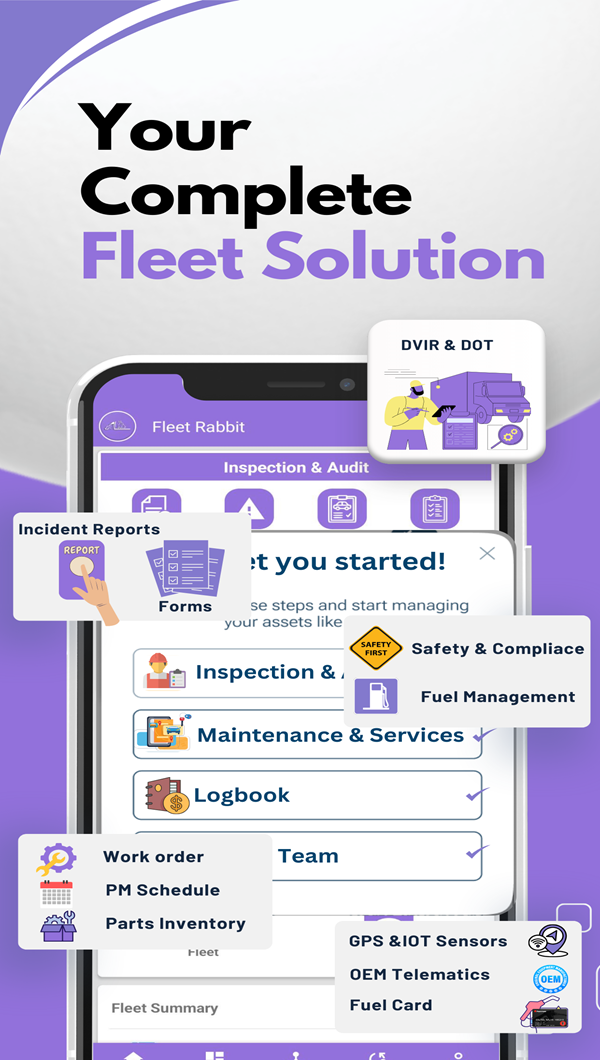
Fleet Inspection Management for DOT Compliance and Safety
Streamline inspections with digital checklists, track corrective actions, and maintain complete inspection records. Ensure 100% DOT compliance with automated inspection workflows.

Choose from library or create custom checklists
Complete checklist and document faults with photos
Monitor corrective actions until completion
Comprehensive inspection history
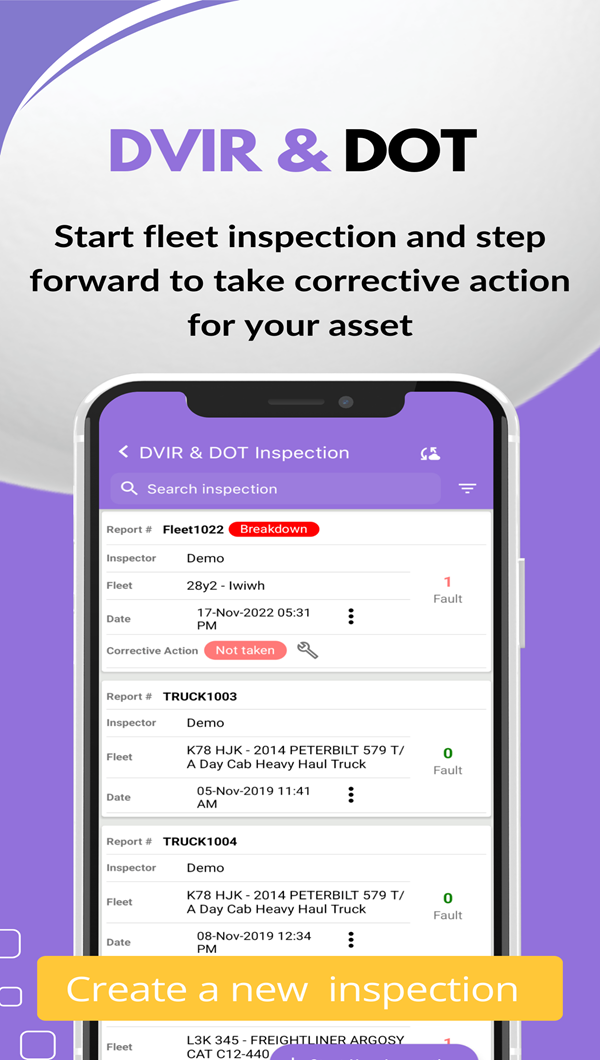
Track all inspections with complete details including report numbers, dates, fleets, locations, inspectors, faults, corrective actions, and linked work orders.
- Complete inspection records
- Fault and corrective action tracking
- Linked work order management
- Searchable audit trail

Digital inspection forms & checklists
Access a comprehensive library of pre-built inspection forms or create custom checklists tailored to your fleet's specific requirements.
- Pre-trip and post-trip checklists
- Equipment-specific forms
- Custom form builder
- Copy forms from library
Inspection Forms
42 FormsFault tracking & corrective actions
Document inspection faults with detailed descriptions and photos. Track corrective action status and link directly to work orders for repairs.
- Detailed fault documentation
- Photo evidence capture
- Corrective action tracking
- Work order integration
Fault Management
Winter Checklist for Trucks
Pre-Trip Inspection Checklist
Pre-Trip Inspection Checklist
Incident reporting & management
Document accidents, damage, and safety incidents with comprehensive forms including photos, detailed descriptions, severity ratings, and weather conditions.
- Incident number assignment
- 6-photo documentation
- Severity rating system
- Downloadable reports
Incident Reports
2001 MACK CHE13 TRI-AXLE TRUCK TRACTOR
VOLVO Loader Truck Tractor
Mobile inspection capabilities
Conduct inspections anywhere with mobile-optimized forms. Capture photos, document findings, and submit inspections in real-time from smartphones or tablets.
- Mobile-responsive interface
- Camera photo capture
- Offline capability
- Real-time sync
Mobile Inspection Features
Available on All Devices
Field-Ready Features
- One-tap photo capture from device camera
- GPS location tagging (optional)
- Digital signature capture
- Voice-to-text notes
- Barcode/QR code scanning
- Offline mode with auto-sync
Download Mobile App
Complete Inspection Management Features
Everything you need to conduct, track, and manage fleet inspections for complete DOT compliance
Digital checklists
Pre-built and custom inspection forms for all equipment types.
Photo documentation
Capture and attach photos directly from mobile devices.
Fault tracking
Document defects with detailed descriptions and corrective actions.
Work order linking
Create work orders directly from inspection faults for repairs.
Inspector assignment
Assign inspections to specific inspectors with accountability tracking.
Location tracking
Record inspection location for multi-site fleet management.
Incident reporting
Create detailed incident reports with photos and severity ratings.
Inspection history
Complete audit trail of all inspections with search and filter.
Compliance reporting
Generate DOT compliance reports for audits and inspections.
Automated alerts
Notifications for overdue inspections and pending corrective actions.
Custom forms
Build equipment-specific inspection forms with custom fields.
Mobile access
Conduct inspections from smartphones and tablets with offline mode.
Success Stories & Results
Transportation Company Reaches 100% DOT Compliance
100%
DOT Compliance
Zero violations in 18 months75%
Time Savings
Inspection time reduced92%
Defect Detection
Early issue identification"FleetRabbit's digital inspection system transformed our compliance program. We went from constant DOT violations and failed audits to 100% compliance. The mobile app made inspections faster and more thorough, catching issues before they became roadside failures."
Michael Torres, Safety Director, National Transport Solutions
Before vs. After
Inspection
Inspection
"Digital inspections with photo documentation saved us during a DOT audit. We had complete records for every vehicle going back years. The auditor was impressed."
Amanda Chen
Compliance Manager, Regional Freight
"Our drivers love the mobile app. Pre-trip inspections are faster and more consistent. The fault tracking ensures nothing gets missed and repairs are completed promptly."
Robert Kim
Operations Director, City Transit
"Managing 42 custom inspection forms across different equipment types was impossible with paper. FleetRabbit's form library and custom builder solved everything."
Jennifer Martinez
Fleet Manager, Construction Services
Inspection Management FAQ
Click "Start New Inspection" from the inspection menu. Enter the report number, select the fleet from your inventory, choose the inspection location, assign an inspector, select an inspection form from your library, and enter the meter reading. The system generates a unique inspection report number and timestamps the inspection. You can then proceed through the checklist items, documenting faults and taking photos as needed.
FleetRabbit provides a comprehensive library of pre-built inspection forms including Truck Pre-Trip Inspection Checklist, Trailer Pre-Trip Inspection Checklist, Post-Trip Truck Inspection, Annual Trailer Inspection Checklist, Winter Checklist for Trucks, Cabin Box inspection, and equipment-specific checklists for concrete pumps, forestry equipment, utility trucks, dump trailers, and more. You can also create custom inspection forms tailored to your specific fleet requirements.
During inspections, document any faults or defects found with detailed descriptions and photos. The system tracks fault counts and assigns corrective action status (Not Taken, Taken) for each inspection. Linked work orders can be created directly from inspection faults to schedule repairs. The inspection history shows all faults, corrective actions taken, and follow-up inspections, providing a complete audit trail for compliance.
Yes, FleetRabbit includes a comprehensive incident reporting system. Create incident reports with incident number, date, time, location, incident type, severity rating, fleet information, operator details, weather conditions, and fleet activity at time of incident. Upload up to 6 photos documenting the incident. Include detailed descriptions of how the incident occurred, what broke or was damaged, and additional comments. All reports are searchable, downloadable, and linked to specific fleet units.
FleetRabbit maintains complete inspection history for every vehicle showing report numbers, dates, fleet information, locations, inspectors, fault counts, corrective action status, linked work orders, inspection forms used, and notes. Search and filter by date range, fleet, inspector, or inspection type. View detailed inspection records including all checklist items, photos, and corrective actions. Export inspection history for compliance audits or analysis.
Yes, you can create custom inspection forms tailored to your specific equipment and compliance requirements. Use the "Create New Form" option to build forms from scratch or "Copy from Library" to modify existing templates. Add custom checklist items, inspection points, photo requirements, and approval workflows. Forms can be equipment-specific (trucks, trailers, specialized equipment) and include multiple sections with customizable questions and pass/fail criteria.
Yes, FleetRabbit's inspection system is fully mobile-responsive and optimized for tablets and smartphones. Drivers and inspectors can conduct pre-trip and post-trip inspections using mobile devices, take photos directly from the camera, document faults in real-time, and submit inspections instantly. The mobile interface provides offline capability for remote locations with automatic sync when connectivity is restored.
Implementation is immediate. Select inspection forms from the built-in library or create custom forms for your fleet. Add vehicles to your inventory, assign inspectors, and start conducting digital inspections right away. The system requires no special hardware—just use smartphones or tablets with cameras. Training takes minutes as the interface is intuitive and designed for field use. Historical paper inspection records can be retained as reference while you transition to digital.
Get more done with Fleet Rabbit!
Simplifying fleet inspections while maximizing compliance and safety.